Still wondering?
Ask the developer directly
Real Categories is built and supported by Ash Glover Design in Cape Town. Send a question and you'll get a reply from the person who built the app.
ash@ashglover.co.zaShopify already lets you give every product a category. Real Categories turns them into browsable pages, menu links and a navigation block, so collections can go back to being collections.

Many stores end up using collections for everything: sale picks, new arrivals, gift guides, and the basic "shop by type" menu too. That last job means building and maintaining a collection for every kind of product you sell.
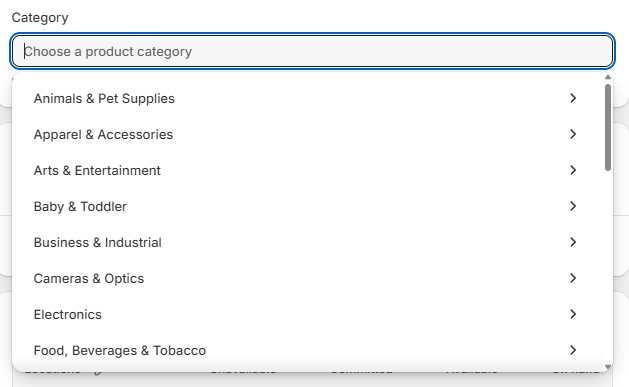
Shopify already has a better home for that. Each product can be given a product category from Shopify's Standard Product Taxonomy. Real Categories puts that field to work on your storefront.
Keep using them for groups you curate

Use it for browsing by type of product
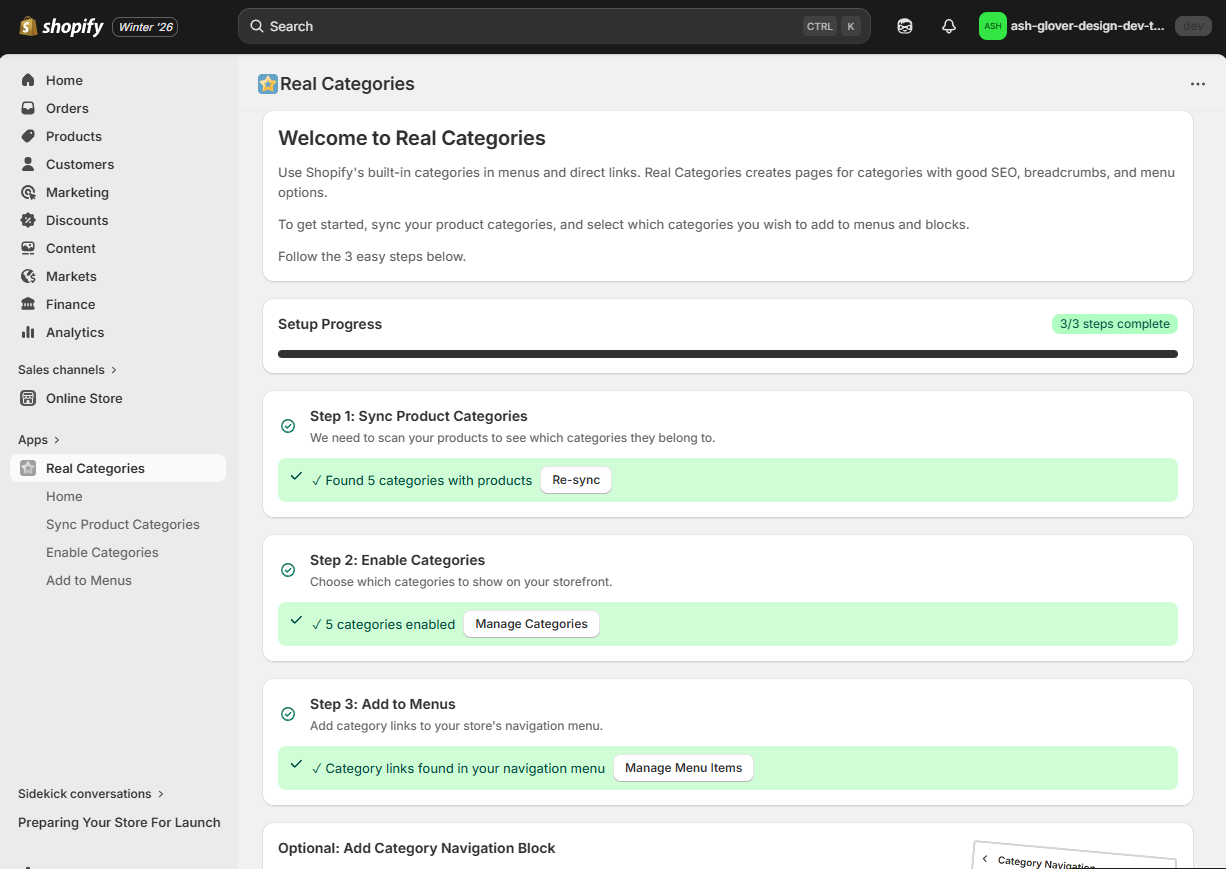
Everything happens inside the app and Shopify's own admin. You won't need to touch your theme code.
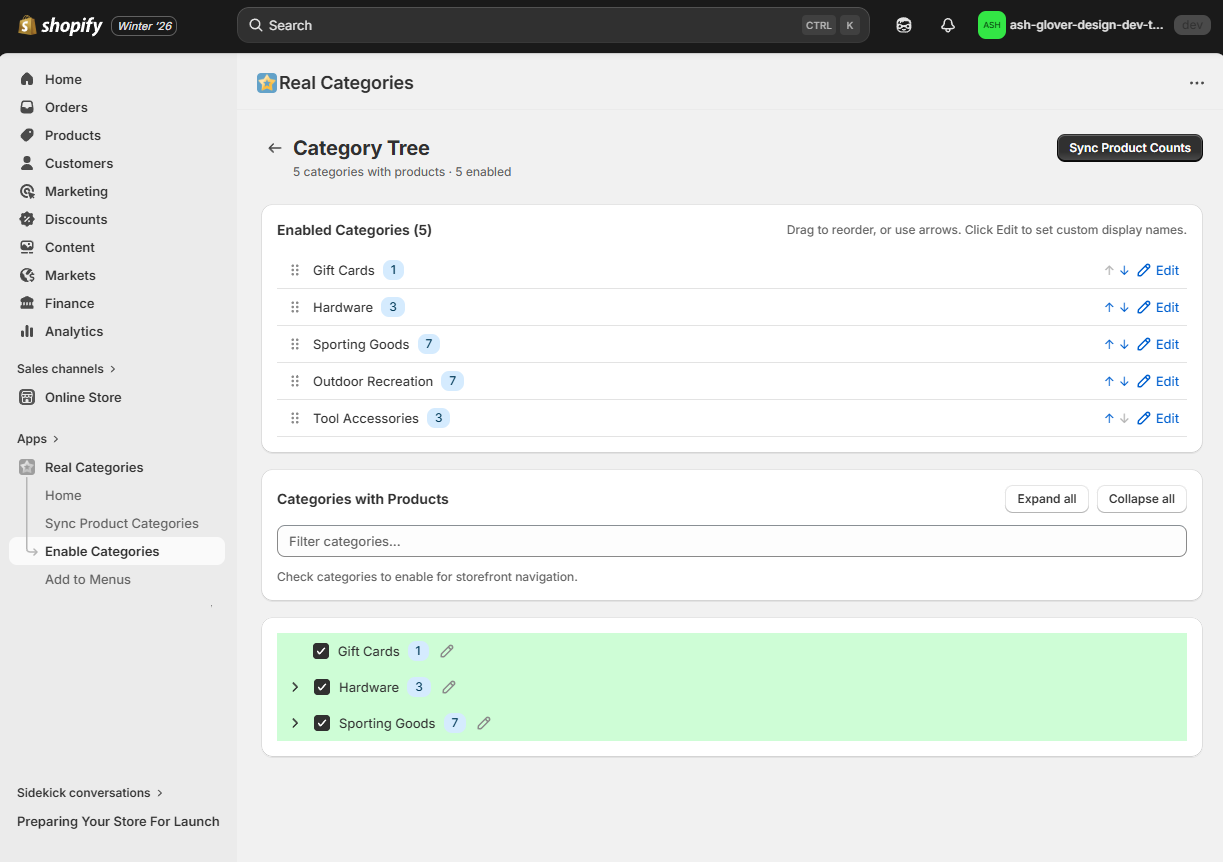
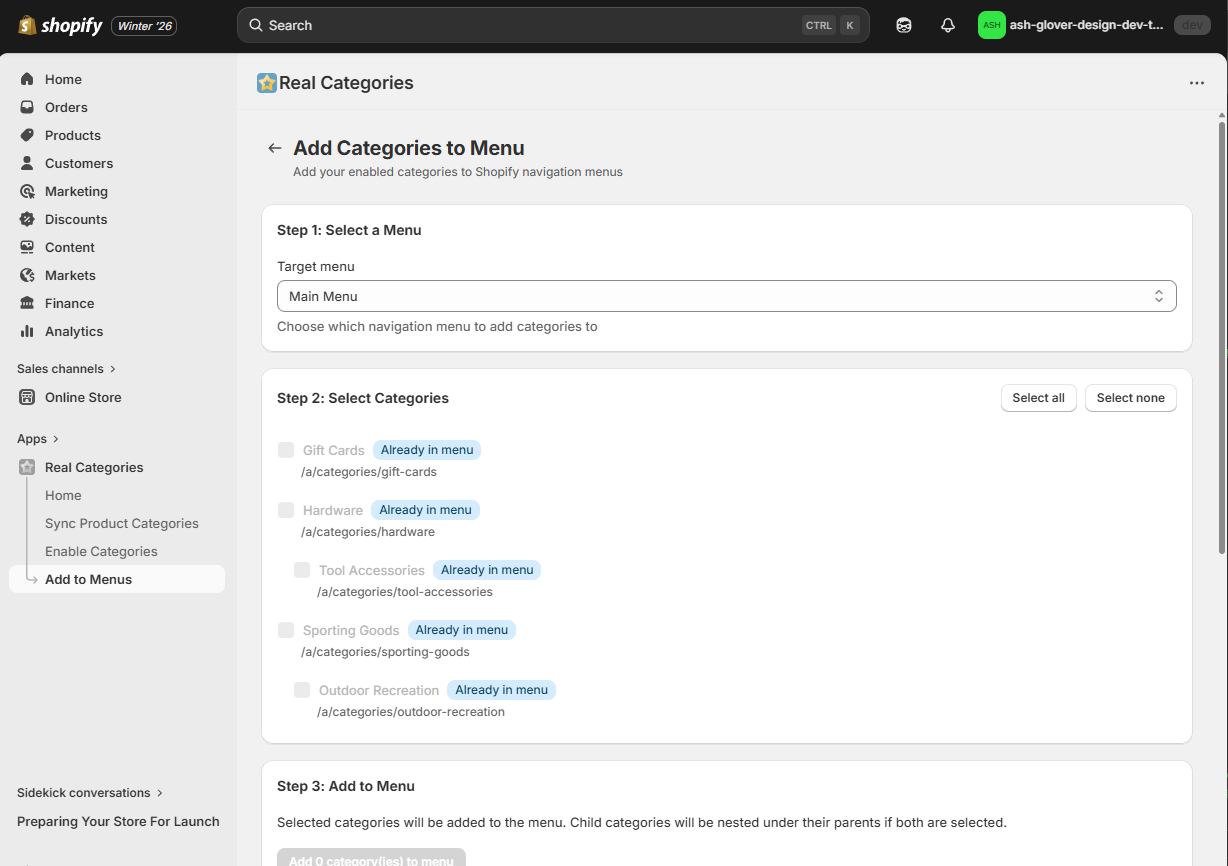

Install from the Shopify App Store. The setup wizard opens straight after.
Pages, links and navigation that follow the categories on your products, so you're not rebuilding the same structure by hand.
Every category you enable gets its own product listing page, styled by your theme.
Readable addresses such as /a/categories/sporting-goods.
An automatic sitemap of your category pages that you can submit in Google Search Console.
Shoppers can see where they are in the category tree and step back up a level.
Add categories to any Shopify navigation menu from inside the app. Child categories nest under their parents.
A theme app block you add from the theme editor to show a category list or grid on the pages you choose.
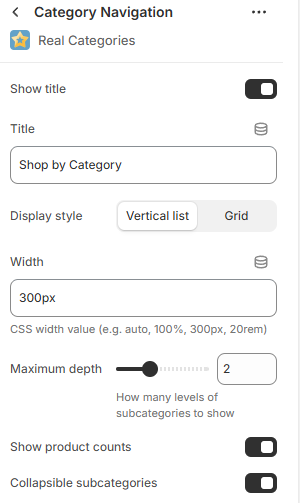
Choose how many levels to show and let shoppers expand or collapse subcategories.
Drag categories into the order you want and set custom display names.
Set colours and fonts, add custom CSS, and keep everything mobile responsive.

The Category Navigation block lives in your theme editor with the rest of your sections. Add it where you want shoppers to start browsing, then set it up with a few toggles.
Menu styles included
Find it under Online Store › Themes › Customize › Apps.
In trying to build my specific categories that worked for my product ranges, I struggled to find what I needed. Other solutions just didn't work for the reason that I use collections for my products. This app is so much more niche and uses the Shopify built in category system, which is exactly what I need!
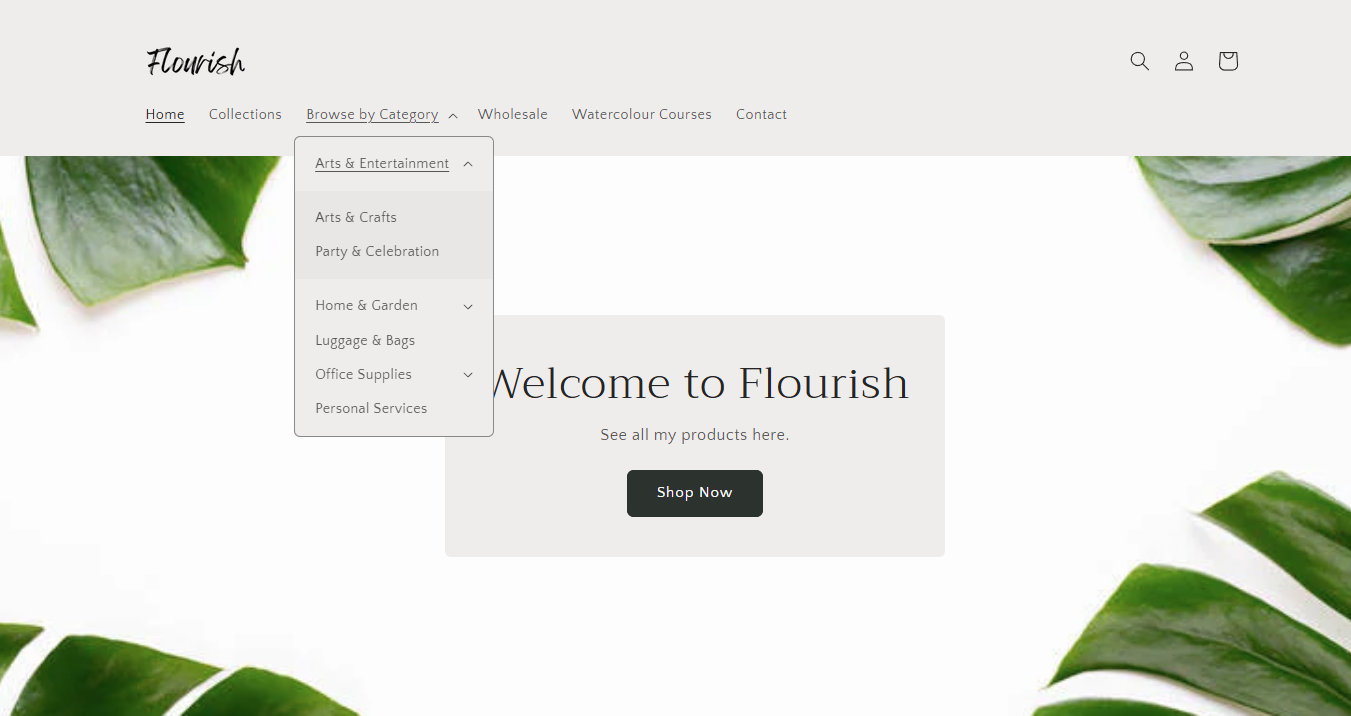
Category menus built with Real Categories, running alongside the store's own collections.
Visit the storeWant to click around first? Try the demo store. Password: real
Adding category links and menus to your Shopify store, with Ash Glover
Real Categories is a brand-new app. Install it on the free plan now and help shape what comes next with your feedback.
For early users of a brand-new app
or $80 / year (save 17%)
Prices in USD as listed on the Shopify App Store. Charges recur every 30 days.
No. Keep collections for the groups you curate, like Sale, New In or gift guides. Real Categories handles browsing by product type, using the category on each product.
From the product category you set on each product in Shopify (Products › choose a product › Product category). Shopify picks these from its Standard Product Taxonomy, so you choose from an existing list instead of inventing your own.
No. You sync, enable and add categories inside the app, and you place the navigation block with Shopify's theme editor.
They use your theme's styling, so they match the rest of your store. Each one sits at an address like yourstore.com/a/categories/category-name.
Go to Online Store › Themes › Customize, choose the page, click Add section or Add block, and pick Category Navigation under Apps. Your theme needs to be published for the block to show.
Run Sync Product Counts in the app to refresh your categories. If a new product still doesn't appear, re-save it in Shopify and sync again.
Each category page has a clean, readable URL, and the app generates an XML sitemap of your category pages that you can submit in Google Search Console. Rankings depend on many things, but these give search engines a tidy set of pages to find.
Email ash@ashglover.co.za or read the setup guide. Replies usually arrive within 24 to 48 hours on business days (Monday to Friday, South African time).
Real Categories is built and supported by Ash Glover Design in Cape Town. Send a question and you'll get a reply from the person who built the app.
ash@ashglover.co.zaGive shoppers category pages and menus that follow your catalogue, and keep your collections for everything else.
Install Real Categories